A free resource by Jayne Cravens
via coyotecommunications.com & coyoteboard.com (same web site)

Dos & Don'ts of Using Artificial Intelligence at Nonprofits:

the case for integrity, authenticity & originality.

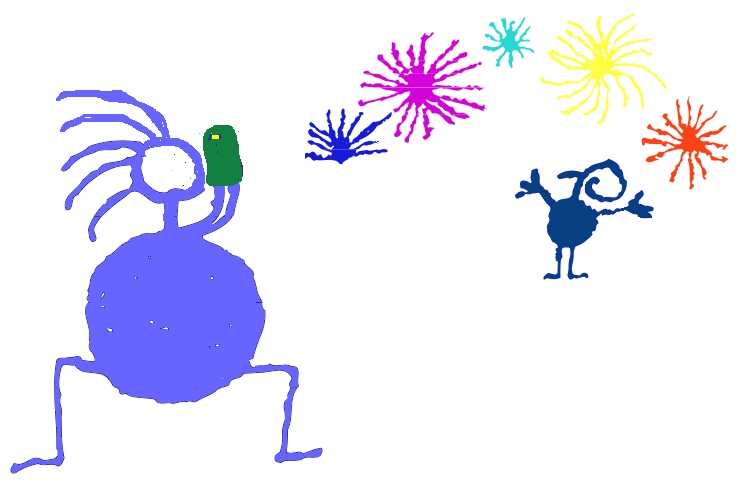
cave-drawing-like representation of a person using a camera
      phone to film a person celebrating something.

Here we are again, with tech bros, tech companies and the media getting breathless about a new tech innovation.

We've been here before:

No question, those four things did, indeed, have massive impacts on society, on humanity, and on nonprofit operations, and I'm a fan of all four and use all four and have trained a lot of staff members on leveraging all four tech innovactions. But these innovations did not deliver fully as promised - they have each fallen far short.  

Now, the revolutionary tech innovation that' everyone can't stop talking, that's hyped as the most amazing thing ever, is artificial intelligence, or AI.

Let's be clear about what AI is. IBM says that

Artificial intelligence (AI) is technology that enables computers and machines to simulate human learning, comprehension, problem solving, decision making, creativity and autonomy.

You have probably also heard the term generative AI:

Generative Artificial Intelligence (GenAI) is a type of AI that creates "original" content, such as text, images, audio, video, and code, in response to user prompts.

I have "original" in quotes because the reality is that all AI training comes from the work of humans, and in the vast majority of cases, the humans that wrote the text, drew the images, or created the video, song, sound, or code were in no way compensated by the company that built the AI.

AI is different from just automation. When your phone reads your daily schedule to you every morning at a specific time, that's automation, not AI. But when you ask an AI tool to write a song about your latest board meeting, THAT is AI. With that said, the reality is that there is a lot of overlap in AI and automation, and I'm not going to nitpick in this resource: sometimes when I talk about AI, on this page or otherwise, I'm talking about a mix of the two. And it does not matter to most nonprofits how much of a tool or practice is automation and how much is AI, all they know is that they are getting pressured by tech bros to use more AI (and reduce employee headcount), and they need to understand what AI really means and not have someone from outside the organization dictating to them how to use it.

I've been helping nonprofits understand new tech since the 1990s. I am a plain language person (I loathe tech and corporate jargon) and believe in my bones that if users can't use a tech tool easily and appropriately, it's poorly designed and they shouldn't be forced to use it.

I also believe that nonprofits should always keep human connection, human rights and the emotional attachment humans have to a mission, to a cause, at the heart of their work. 

Know those two things as you read this resource.

I am not going to list AI tools on this page. There are plenty of people and companies out there doing that already. Instead, I'm going to make a list of things nonprofits and other mission-based programs should do, and shouldn't do, with AI. I believe that AI should be used in such a ways as to NOT erode one of the biggest strengths of a nonprofit: its humanness. I believe that AI should be leveraged in a way that doesn't undermine a nonprofit's integrity or authenticity, nor human originality. Before you start considering any AI tools, you need to consider the issues presented below - otherwise, you won't be making fully-informed decisions, you won't be asking the right questions when a funder is trying to presure you to adopt AI, and you may be replacing authentic, human presentations at a time when authentic human-to-human connections have never been needed more. I have no doubt that there is going to be disagreement on what I am proposing here.

Dos & Don'ts regarding AI use at Nonprofits

     Do...


     Don't...

  • Use AI for grammar and spell check.
     
  • Use AI to analyze and present data that YOU have provided (like the zip codes of your donors, or the hours your volunteers contribute and when those hours have happened, or the kinds of phone calls you are getting, or common themes by survey respondents, etc.). But be sure to keep data secure and confidential - make sure you aren't exposing such by using AI to analyze it.
     
  • Use AI to analyze images and photos that will help further your mission. For instance, if you are an organization that works to educate people about invasive plant species, AI might be used to “look” at photos submitted and identify what the plant might be. Or perhaps you work with a marginalized area of a city where residents want better attention from the government, and residents of that area take photos of poor or dangerous road conditions, and AI could help you categorize those for presenting to the government body responsible for that road. When war broke out in Sudan in 2023, MercyCorps used 10 years of satellite imagery showing the health of the country’s crops in each of those years, based on how plants reflect light in different wavelengths, and then used AI to compare real-time crop health with historical patterns. The MercyCorps team could then see areas where people were most vulnerable and could deploy its resources where they were needed most before disaster struck.
     
  • Use AI to translate essential text in another language so that you, yourself, can read that text (don't use it to translate your entire annual report, however).
     
  • Use AI to communicate with a client or member of the public when a human translator is not available, and when you are certain that AI will protect the conversation if it needs to be protected (e.g., if it's going to reveal home addresses, medical conditions, or other information that should be confidential).
     
  • Use AI to write something short, like a social media post or an event announcement, if you truly do not have the skills to do this, nor the time to do this yourself, AND you have all the details needed for an accurate announcement. AND, you still have to read what is written and make sure it is accurate - AI written summaries of books or long texts are especially prone to misinformation and inaccuracies. Also, a human should still be writing MOST of your social media posts - and when they don't, when it's mostly AI, yes, we know, and it affects our opinion of your nonprofit (not in a good way). 
     
  • Use AI to write a poem or a song if you really need a poem or a song and you truly cannot do it yourself, nor are you willing or able to recruit a volunteer to do it. But declare that AI is the author for any presentation and, in presenting that poem verbally or in performing that song, please keep it human - authentic human speakers or human performers only!
     
  • Use AI to screen a mountain - an onslaught - of applications for jobs or programs, if your organization is regularly overwhelmed by the numbers of such applications. Having one job opening every few months and having 100 applications for each job is not an onslaught. Remember that there are a variety of built-in automation tools for most online forms that will already allow you to screen out anyone outside your service area for a certain program, for instance, or allow you to screen out every person who declares "no" on the question, "Do you currently have legal permission to work in the USA?" A better option most of the time for a nonprofit's job or program applications is a screening committee of volunteers, if the HR staff or program staff can't handle it on their own. Humans reading applications not only can be the best for identifying job applicants and program participant applicants worth a closer look by HR or program staff, they also can see trends and information that can advise you on how to improve forms and application processes - humans can often see the barriers for qualified applicants in your process that AI cannot. 
     
  • Use AI for a chat bot that will answer questions via your web site for clients or the general public if you feel that your clients and most people who would interact with that chat bot would get their questions answered accurately, that it would not take away from the essential information gathering and relationship-building that happens through staff interacting with clients, volunteers, the public, etc, and if you believe that it could substantially help your staff use their time to focus on other, much needed tasks.
     
  • Use AI to chat with a bot that speaks in order to learn another language (but don't use it as a substitute for practicing conversational skills with actual humans). Duolingo is a very popular language app that uses AI in a number of ways, including allowing paid subscribers to have short video chats with its characters. It's excellent practice for learning another language, but don't use it as an outright substitute for practicing speaking with other actual humans. But test that chat bot regularly (volunteers are great for this). A chat bot is always, ALWAYS, a work in progress.
     
  • Be transparent with the public about your AI use and your policies for using it, just as you are regarding why and when your organization reserves roles for volunteers (right? right?). This will build trust with your community in your messages being authentic and human-centered. Also declare when AI was NOT used to write something: add a note to emails, blogs and other long form creations that says “a human wrote this, not AI; while we do use AI to check spelling and grammar, our authors are always humans.” Be proud of your humanity and authenticity!  
     
  • Implement guardrails regarding AI use with regard to privileged, confidential and proprietary information, like board meeting minutes, financial information, employee performance reviews, donor names and addresses and the amounts they have given, volunteer names and addresses, confidential employee and member or client information, privileged communications with counsel, etc. Such data should never be inputted into a free AI tool. If you want to use AI with any such data, you need to pay for a tool that ensures data protection within your network and significantly reduces various risks.
     
  • Draft a policy for staff use of AI in their work, particularly in the creation of content and the handling of confidential data, and be ready to continually discuss this and revise it. Feel free to use this table that you are reading now as a basis for your own policy, as well as the oh-so-excellent Top Ten AI Usage Policy Considerations for Nonprofits, by Holly Peterson , Esq., for the Nonprofit Alliance. Your policy should include a list of AI tools that staff should, and should not, use regarding certain data, and provide explicit examples of what is, and is not, appropriate.
     
  • Connect your staff with trainings and resources on how to leverage AI tools, as well as what NOT to do.
     
  • Create ways for staff to share with each other how they are using ANY tools in their work, not just AI, but shared calendars, voice mail, Reddit, WHATEVER. This could be a regularly moment at staff meetings, or something mentioned in their monthly reports.
     
  • Keep in your budget plans to hire humans - professional translators, web designers, graphics designers and a person to answer your phone when a person becomes exasperated by your AI chat bot. AI is not an absolute substitution for those roles - if you think it is, prepare to lose donors, volunteers and others who feel your nonprofit looks like everyone else and has lots its humanity.
     
  • Track the time it takes for staff to learn and to use AI tools, and the costs associated with using AI tools (buying the software, buying the subscription, paying for training, etc.), and have numbers to show your board and your funders regarding the financial costs of using AI; if you have ways to show AI as saving staff time (and therefore, money), you should do that too.
     
  • Read about and listen to information about how nonprofits are using AI and consider new uses at your organization.
     
  • Believe that YOU are the best person to decide when and how to use AI, not a tech company, and feel confident in saying "No."

  • Use AI alone to find answers to any question whatsoever. No matter what answer AI gives you in response to a question, you need to double check and research further to ensure that the answer is accurate - and don’t be surprised that it’s not. Even AI-generated answers to math questions can be suspect.
     
  • Use AI to create most of your social media posts. WE CAN TELL. We see your AI slop, because it's general and reads like all other AI-generated posts and you embarrass yourself and your nonprofit when you do this.
     
  • Use AI as your final editor. If you use AI to write something or to edit something, you, the human, MUST re-read or review its work, because if you don’t, you are going to send out incorrect information - AI regularly hallucinates information! The Internet is filled with examples of this, including in courts where AI has created and referenced non-existent court rulings and legislation. And here's an account where an unauthorized AI re-write almost ruined a very personal family event.
     
  • Have AI write a blog or a white paper or a song or a summary or someone’s biography or something else substantial and then not declare that AI was the author, rather than a human, even if a human double-checked the work to make sure it’s accurate (which should always happen). If AI authored something substantial, you shouldn't hide that, and you are hiding it if you don't declare it.
     
  • Use AI creations without any human alteration. If you use Canva, for instance, to create a graphic, you need to alter that graphic at least somewhat to make it your own and also to make it accessible (very light text on very dark background, or vice versa, a font size that can be read by most people, etc). Otherwise, you are going to have graphics that look like other people’s and organizations, and also have graphics that many, maybe most, people can’t actually read. AI does NOT understand graphics best practices!
     
  • Use AI alone to translate something substantial (a guidebook, policies, a form, your annual report) into another language for clients, volunteers, the public, etc., without having someone who is fluent in that language review the translation, especially if whatever needs to be translated is longer than a paragraph.
     
  • Use AI tools that present voices or live text that makes the person interacting with such believe they are interacting with a human. Make it clear that “chat bot” means “talking to AI”, not to an actual human. 
     
  • Present AI created artwork without declaring that the graphic was created by AI, rather than a human, if there would be any doubt in someone’s mind about such. 
     
  • Use AI to create what looks like a photo or a video of a real human, animal, building, environment, etc. To present an image or video that looks like a real human talking or dancing or moving or volunteering whatever, but you've created it from a computer program, is misleading at best and dishonest for most.
     
  • Use AI to author a performance review or employee reprisal. AI can, and should, review it for grammar and spelling, and if you need AI's help in saying something more diplomatically than you know how to write it, okay, but to use AI to author something that should be absolutely authentic and YOUR words is reprehensible.
     
  • Use AI to remove or hide most avenues for someone to talk to an actual human at your organization.
     
  • Use AI to narrate a video, a slide show, etc. that promotes your organization and its work. There is ZERO reason for a credible nonprofit to do this! If no employees or clients feel comfortable doing it, recruit a volunteer specifically to do it. A voice that sounds human should be an actual HUMAN voice, except, say, for a person with a disability who needs AI to speak their words.
     
  • Think that AI can entirely or even mostly substitute for humans talking to your customers, clients, donors, volunteers, etc.
     
  • Use AI to replace human judgment in critical decision-making or in program or activity oversight.
     
  • Brainstorm with AI. I have so much to say about this, I wrote more about it later on this page.
     
  • Have AI analyze a range of data from a variety of data sources, not all of which you provided, and assume that its findings are accurate. You need to at least spot check the results to make sure the AI tool really has used the data sources it says it has, and that it really has interpreted them accurately.
     
  • Input privileged, confidential or proprietary information into a free AI tool or a tool that you do not know whether or not it ensures data protection within your network - or give a free AI tool or insecure AI tool access to such on your network.
     
  • Ignore that AI has stolen other people's work and words, and that narratives "authored" by AI may, in fact, be the words of someone who was not compensated for their work, or that graphics produced by AI may have outright copied or at least alterned the original work of a human artist who was not compensated for use of their work.
     
  • Forget that AI tools, especially free ones, require users to click on an agreement which confers broad rights to that AI platform to utilize, learn from, and disseminate inputted content. That means they can use WHATEVER you share with such HOWEVER they want to.
     
  • Ignore the negative environmental impacts of AI. Keep educating yourself about them and about your nonprofit's impact on the environment, not just through its use of computer and Internet tech, but also its use of cars, trucks, etc.
     
  • Let someone from the corporate world direct you how you should be using AI. Listen to their pitch, but if they don't have examples of nonprofits of your staffing size and budget using AI, and they don't present these examples in a way that makes the benefits of use obvious, what they are saying is just theory and hype.

What about using AI to author emails, fundraising appeals, speeches, etc.?

I would never use AI to author an email, a fundraising appeal, a response to a client or a speech, but I know a lot of nonprofit professionals who do. I also wouldn't use a human ghost writer for any of those tasks, because I want to fully own words that come from me and my organization, but the reality is that there are a lot of people who don't have confidence in their writing abilities, and a lot of people who would prefer a better writer to author something for them - and I have been a ghost writer myself for some folks (though the person always, always, rewrote what I submitted, to put the speech or presentation into their own words). What modern politican, no matter how great an orator, doesn't use a professional speech writer at least some of the time? And there are plenty of million-dollar nonprofits who hire outside consultants to write fundraising proposals, which the Executive Director then signs as his or her own. So I can't condemn people who use AI to write certain things (only if they don't edit it themselves - then I totally condemn it). 

I have a dear friend who is a refugee from Afghanistan. She is in Australia now, regularly petitioning the government to try to get her sister out of Afghanistan and legally into Australia. English is not my friend's first language. I have always edited her writing, including when she worked for an Afghan government agency and when she worked for UNICEF. She started using AI about two years ago to edit the narratives she writes to the Australia government, but she still has me read over those texts for a final edit because, as she said to me, "you are the one who magically knows what I wanted to say." AI cannot see into her heart. AI doesn't know our years of conversations, online and off, and even if it did, I doubt it could understand what I do in her words and tone. But for sure, AI has dramatically improved her first drafts.

So, in short, there are gray areas and legitimate uses for AI in writing. However, I have to add that I manage several online communities and I have seen a huge increase in AI slop - generic posts full of generalizations, posted just to increase the karma or visibility for an online profile that's probably not even a person - just a bot - so that a product (an app, bitcoin, a prediction market platform) can be promoted. And if this is what your nonprofit staff are producing for fundraising proposals, nonprofit blogs and social media posts, you're doomed.

Also, of you are going to use AI to author anything, and you aren't going to note on that product that it was written by AI, you need to ask yourself these questions: how would the person or audience I am reaching with this communication feel if they knew that an AI program wrote this, not an actual human? And if there is a negative reaction to our words being produced by AI, rather than a human, what is my response going to be? Have answers, and your answers should guide what your policy and practice should be.

If you want to comment regarding this information, you can either contact me or you can post a comment on my blog.

What about brainstorming with AI?

I think brainstorming ideas with AI is a horrible idea. AI is designed to agree with you. It's designed to give you simple, easy-to-digest, short answers. Researchers have found that chatbots will even affirm users' ideas or behavior even when harmful or illegal. AI might tell you what you want to hear, but perhaps not what you need to hear. By default, AI advice does not tell people that they’re wrong. Brainstorming needs hard questions, challenges and resistance, not just reassuring answers.

If you are absolutely bent on using AI for brainstorming, then please always ask questions like, "What are the arguments against this idea" and "Tell me about failures people have experienced with this approach" and "Identify three people or organizations who have criticized this idea." And then go read, without AI, those arguments against the idea and those failures by others.

I wouldn't even use AI to create artwork that I would then want an artist to personalize him or herself. Scribble your idea on paper. Or download actual artwork that has a human creator and say, "I want something like this." AI artwork looks SO MUCH ALIKE. You don't want your graphics to look so much like the glossy, cartoonish artwork AI is churning out.
 

But where do you start with AI at your nonprofit?

First, explore and examine at how you and your staff are already using AI, personally and professionally - it's a great lunch time topic (and it will take more than one discussion):

Talk about benefits and explore concerns, especially around confidentiality, information accuracy, ethics, etc.

Don't ask "What AI tools should we use." And don't let a consultant tell you what AI tools your nonprofit needs.

Instead, have employees and volunteers explore answers to these questions:

Your answers to these questions are the best guide to exploring how AI tools MIGHT be able to help you. Share answers with anyone saying you could be benefiting from AI and challenge them to come up with AI-related solutions.

And remember that this is an ongoing discussion, an ongoing exploration - one workshop, one presentation, isn't enough.
 

How do you prevent AI from replacing you?

Rob Jackson wrote the following, focused on managers of volunteers. But it is easily adaptable to all nonprofit positions:

The risk here isn’t that AI will replace us. The risk is that we’ve already replaced ourselves, shifting our focus away from dealing with people and concentrating on process management and admin. If our role can be reduced to scheduling, inbox triage, and filling data fields in a Volunteer Management System, then we have a much bigger problem than AI to worry about.

How are you reporting your accomplishments to management? What relationships have you built that have contributed to a donation or group volunteering event or positive public relations? What tasks have you NOT automated specifically because you need to be able to cultivate a relationship with current and potential clients, donors, volunteers and others, and does management know you've made that choice? What misunderstandings have you discovered and squashed?

If you can't answer those questions, and if senior management doesn't know the answers to those questions regarding you, then you will be seen as replacable.

What do your clients and the general public like most about your nonprofit? Answers are probably going to be things like:

Have you asked these questions? If not, then it's overdue (and you also need to ask what they think you should improve).

Efficiency isn’t worth it if it removes what’s best about your organization: the human touch. But you have to make sure senior management and the board understands how you manifest "the human touch" in your work.

Also see:

My blogs regarding nonprofits' and NGOs' use of artificial intelligence:

Other tech guidance from my web site:

  Discuss this web page, or comment on it, here.


  Quick Links 

   my home page
 
 my consulting services  &  my workshops & presentations
 
 my credentials & expertise

 Affirmation that the material on this web site is created & managed by a human.
 
 My book: The Last Virtual Volunteering Guidebook

 contact me   or   see my schedule
 
 Free Resources: Community Outreach, With & Without Tech

 Free Resources: On Community Engagement, Volunteering & Volunteerism

 Free Resources: Technology Tips for Non-Techies

 Free Resources: Nonprofit, NGO & other mission-based management resources

 Free Resources: Web Development, Maintenance, Marketing for non-Web designers

 Free Resources: Corporate philanthropy / social responsibility programs

 Free Resources: For people & groups that want to volunteer
 
 linking to or from my web site
 
 The Coyote Helps Foundation
 
 me on social media (follow me, like me, put me in a circle, subscribe to my newsletter)

support my workhow to support my work

To know when I have developed a new resource related to the above subjects, found a great resource by someone else, published a new blog, uploaded a new video,
or to when & where I'm training or presenting, use any of the following social media apps to follow me on any of these social media platforms:

like me on Facebook     Mastodon logo    Bluesky logo    follow me on Reddit    follow me on LinkedIn     view my YouTube
                videos


Disclaimer: No guarantee of accuracy or suitability is made by the poster/distributor of the materials on this web site.
This material is provided as is, with no expressed or implied warranty or liability.

See my web site's privacy policy.

Permission is granted to copy, present and/or distribute a limited amount of material from my web site without charge if the information is kept intact and without alteration, and is credited to:

Jayne Cravens
          & Coyote Communications, www.coyotebroad.com

Otherwise, please contact me for permission to reprint, present or distribute these materials (for instance, in a class or book or online event for which you intend to charge).

The art work and material on this site was created and is copyrighted 1996-2026
by Jayne Cravens, all rights reserved
(unless noted otherwise, or the art comes from a link to another web site).